
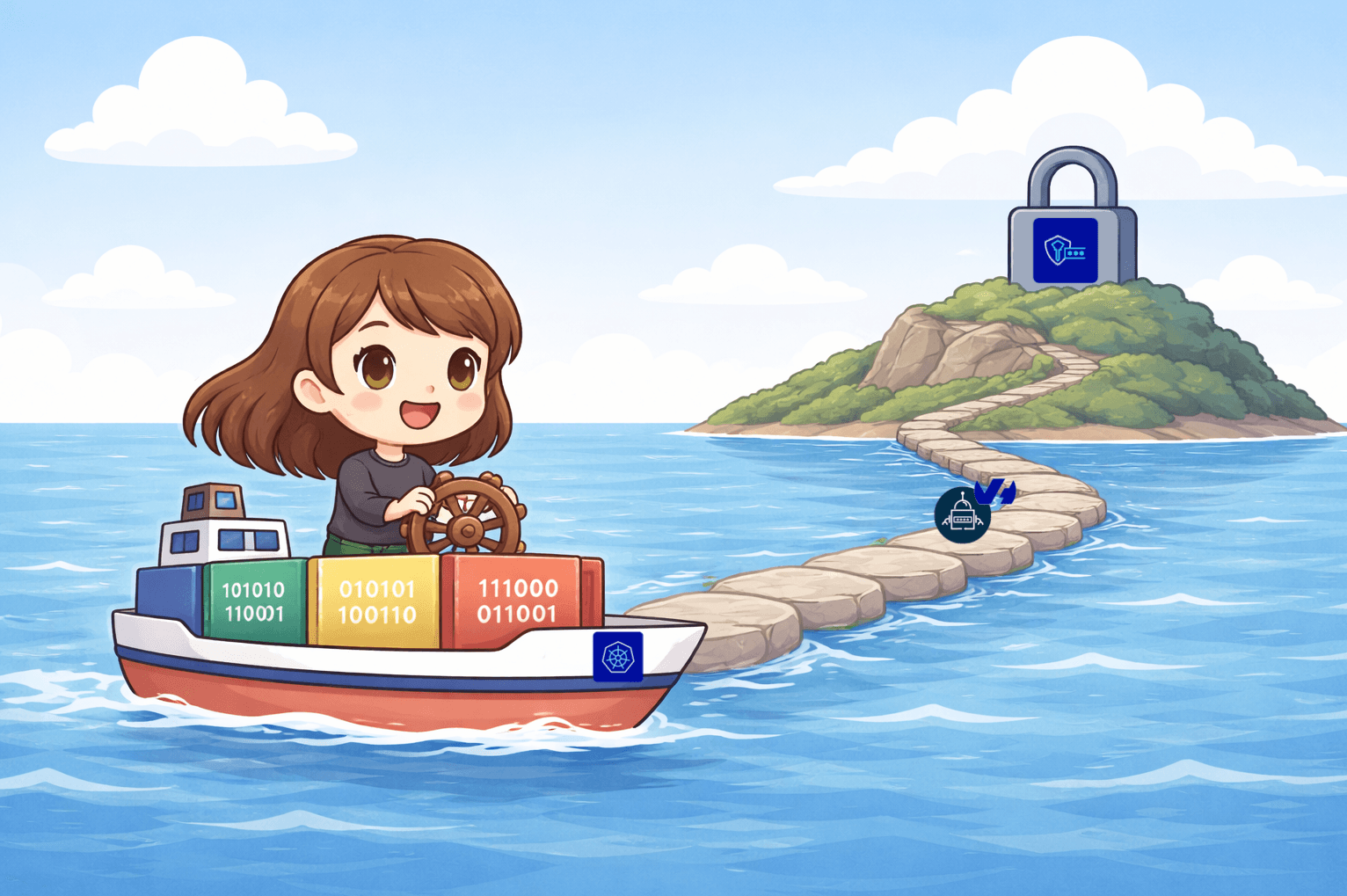
Discover the External Secret Operator (ESO) OVHcloud Provider to manage your Kubernetes secrets 🎉
The OVHcloud Secret Manager went GA, and the new ESO OVHcloud Provider lets you sync secrets straight into your Kubernetes clusters. Here is how to wire it up end-to-end.

External Secrets Operator (ESO)
The External Secrets Operator (ESO), a CNCF sandbox project since 2022, is a Kubernetes operator that integrates external secret management systems.
The operator reads information from external APIs and automatically injects values into Kubernetes Secrets. If the secret changes externally, the operator updates it within the cluster.
ESO connects to external Secret Managers such as OVHcloud, Vault, AWS, or GCP via a provider configured in a (Cluster)SecretStore. An ExternalSecret resource specifies which secrets to retrieve. ESO fetches values and creates corresponding Kubernetes Secrets.
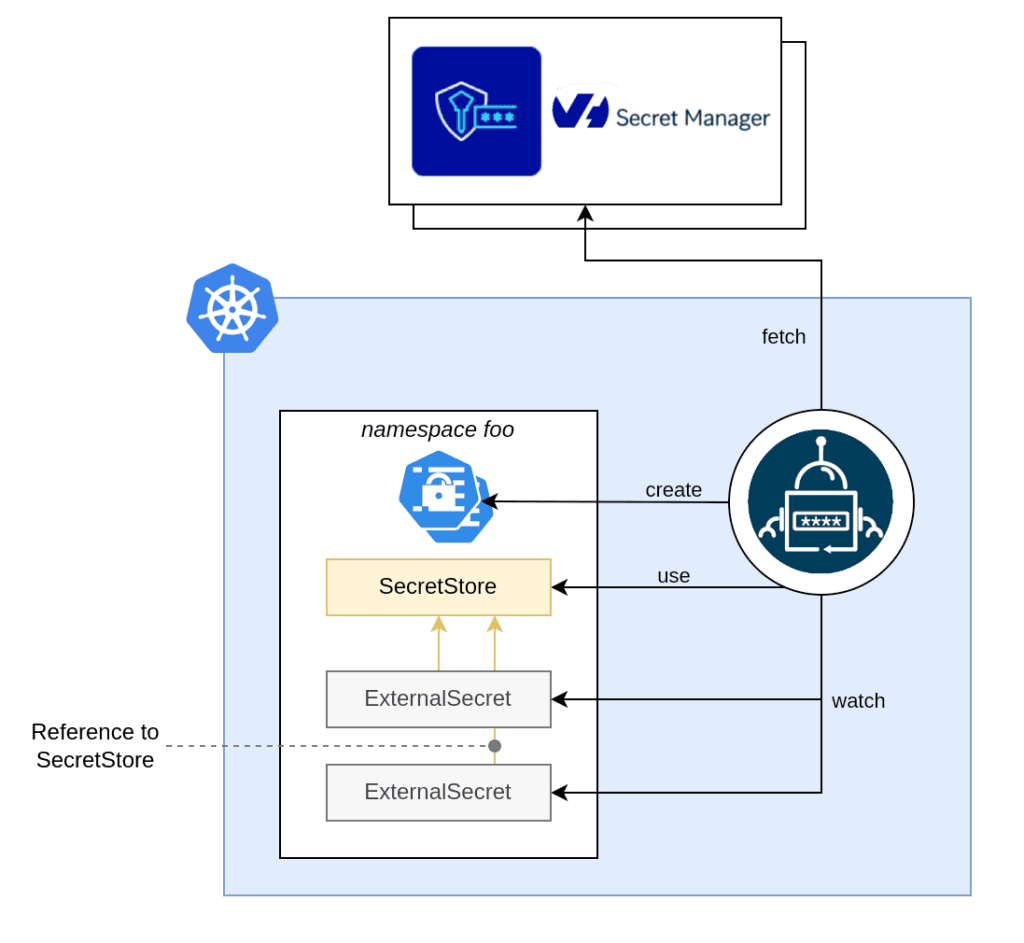
For more details, consult the ESO official documentation.
Prerequisites
To use the ESO OVHcloud provider, ensure you have:
- An OVHcloud account
- A created OKMS domain
- An IAM local user created
- OVHcloud CLI installed
- A Kubernetes cluster
The ESO OVH provider supports both token and mTLS authentication. This guide uses token authentication mode.
Generate a PAT token (For token authentication only)
The ESO (Cluster)SecretStore requires permission to fetch secrets from Secret Manager. For token authentication, generate a PAT using the OVHcloud CLI:
PAT_TOKEN=$(ovhcloud iam user token create <iam-local-user-name> --name pat-<iam-local-user-name> --description "PAT secret manager for domain <okms-id>" -o json  | jq .details.token |  tr -d '"')
echo $PAT_TOKEN
<your-token>
Encode the PAT token in base64 and save it in an environment variable:
export PAT_TOKEN_B64=$(echo -n $PAT_TOKEN | base64)
echo $PAT_TOKEN_B64
Retrieve and save the KMS information
List the OKMS domains:
$ ovhcloud okms list
┌──────────────────────────────────────┬─────────────┐
│                  id                  │   region    │
├──────────────────────────────────────┼─────────────┤
│ 305db938-331f-454d-83a7-3a0a29291661 │ eu-west-par │
│ xxxxxxxx-xxxx-xxxx-xxxx-xxxxxxxxxxxx │ eu-west-par │
└──────────────────────────────────────┴─────────────┘
Save the KMS endpoint and OKMS ID in environment variables:
export OKMS_ID="305db938-331f-454d-83a7-3a0a29291661"
export KMS_ENDPOINT=$(ovhcloud okms get 305db938-331f-454d-83a7-3a0a29291661 -o json | jq .restEndpoint | xargs)
Create a secret in the Secret Manager
In the OVHcloud Control Panel UI, navigate to the Secret Manager section and click Create a secret.
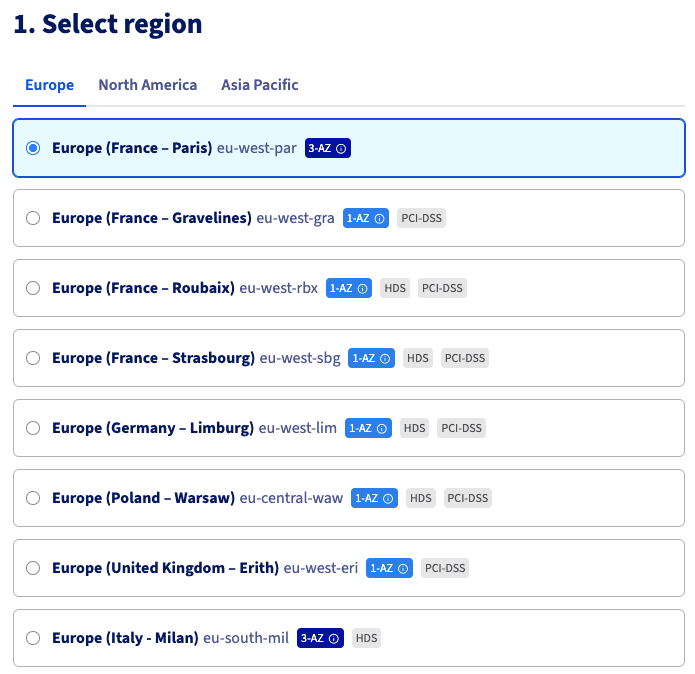
To create a secret 'prod/eu-west-par/dockerconfigjson' in the Europe region (France, Paris), select that region:
Choose the OKMS domain and create the secret at the specified path, filling in the content:
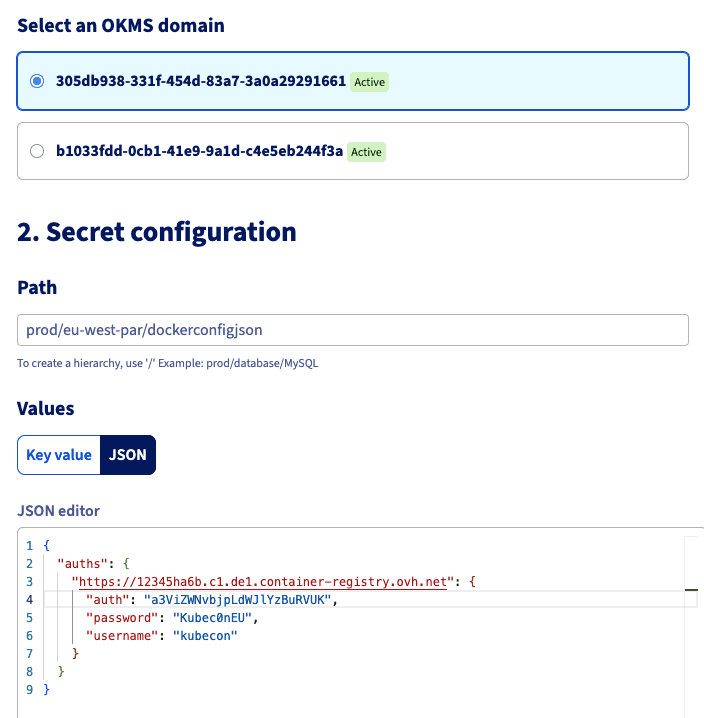
Click Create to finalize the secret creation.
Install or update the ESO
If ESO is not yet installed in your Kubernetes cluster, install it via Helm:
helm repo add external-secrets https://charts.external-secrets.io
helm repo update
helm install external-secrets \
   external-secrets/external-secrets \
    -n external-secrets \
    --create-namespace \
    --set installCRDs=true
If already installed, upgrade to access the new provider:
helm upgrade external-secrets external-secrets/external-secrets -n external-secrets$ helm list -n external-secrets
NAME NAMESPACE REVISION UPDATED STATUS CHART APP VERSION
external-secrets external-secrets 1 2026-04-13 13:56:29.071329 +0200 CEST deployed external-secrets-2.3.0 v2.3.0Let's deploy a Secret in Kubernetes using the ESO provider!
Deploy a ClusterSecretStore to connect ESO to Secret Manager
Set up a ClusterSecretStore to manage synchronization with Secret Manager using the OVHcloud provider with token authorization and the OKMS endpoint.
Create a clustersecretstore.yaml.template file:
apiVersion: external-secrets.io/v1
kind: ClusterSecretStore
metadata:
  name: secret-store-ovh
spec:
  provider:
    ovh:
      server: "$KMS_ENDPOINT"
      okmsid: "$OKMS_ID"
      auth:
        token:
          tokenSecretRef:
            name: ovh-token
            namespace: external-secrets
            key: token
---
apiVersion: v1
kind: Secret
metadata:
  name: ovh-token
  namespace: external-secrets
data:
  token: $PAT_TOKEN_B64
Generate the clustersecretstore.yaml file from environment variables:
envsubst < clustersecretstore.yaml.template > clustersecretstore.yamlApply it to your Kubernetes cluster:
kubectl apply -f clustersecretstore.yamlVerify the ClusterSecretStore status:
$ kubectl get clustersecretstore.external-secrets.io/secret-store-ovh
NAME               AGE   STATUS   CAPABILITIES   READY
secret-store-ovh   7s    Valid    ReadWrite      True
Create an ExternalSecret
Create an externalsecret.yaml file:
apiVersion: external-secrets.io/v1
kind: ExternalSecret
metadata:
  name: docker-config-secret
  namespace: external-secrets
spec:
  refreshInterval: 30m
  secretStoreRef:
    name: secret-store-ovh
    kind: ClusterSecretStore
  target:
    template:
      type: kubernetes.io/dockerconfigjson
      data:
        .dockerconfigjson: "{{ .mysecret | toString }}"
    name: ovhregistrycred
    creationPolicy: Owner
  data:
  - secretKey: ovhregistrycred
    remoteRef:
      key: prod/eu-west-par/dockerconfigjson
Apply it:
$ kubectl apply -f externalsecret.yaml
externalsecret.external-secrets.io/docker-config-secret created
Verify the ExternalSecret status:
$ kubectl get externalsecret.external-secrets.io/docker-config-secret -n external-secrets
NAME                   STORETYPE            STORE              REFRESH INTERVAL   STATUS         READY   LAST SYNC
docker-config-secret   ClusterSecretStore   secret-store-ovh   30m                SecretSynced   True    4s
This creates a Kubernetes Secret object. Verify its creation:
$ kubectl get secret ovhregistrycred -n external-secrets
NAME              TYPE                             DATA   AGE
ovhregistrycred   kubernetes.io/dockerconfigjson   1      49s
The Kubernetes Secret has been successfully created. The OVHcloud ESO provider supports fetching entire secrets, nested values, or multiple secrets according to your requirements.
Conclusion
This guide demonstrated creating secrets in OVHcloud Secret Manager and integrating them directly into Kubernetes clusters using the new ESO OVHcloud provider. With this provider, organizations achieve smoother integration between Secret Manager and Kubernetes clusters. The team continues developing additional integrations.
Enjoyed this read? Get the next one in your inbox.
One curated digest a month from the OVHcloud engineering and developer-advocate teams.